Log the groceries on the way home.
Enter ₹1,250, choose a category and save. Add a shop, person or receipt when it helps. Later, search the ledger, change the date range or correct an entry.
Try an expense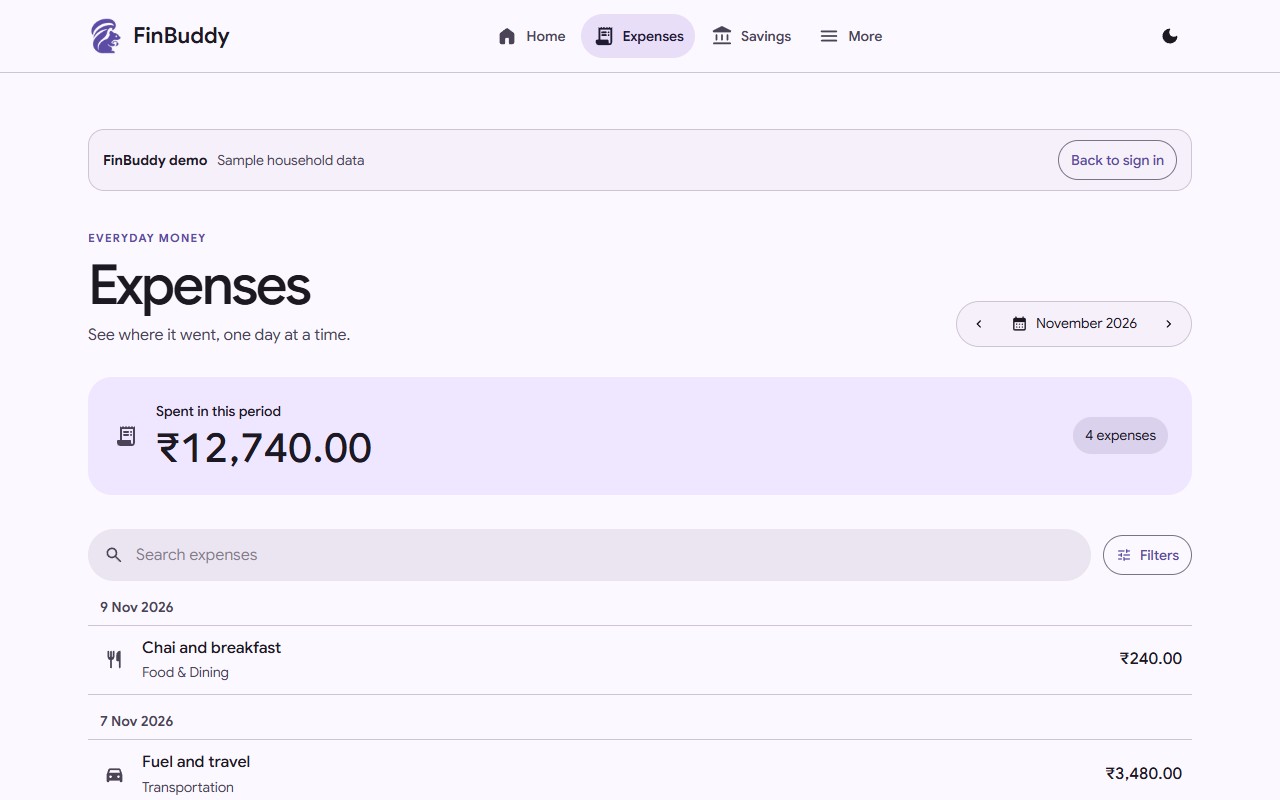
Household finances in INR
Salary has landed. Rent is due. School fees are six months away. See what you can spend this month and what you can set aside for the next one.

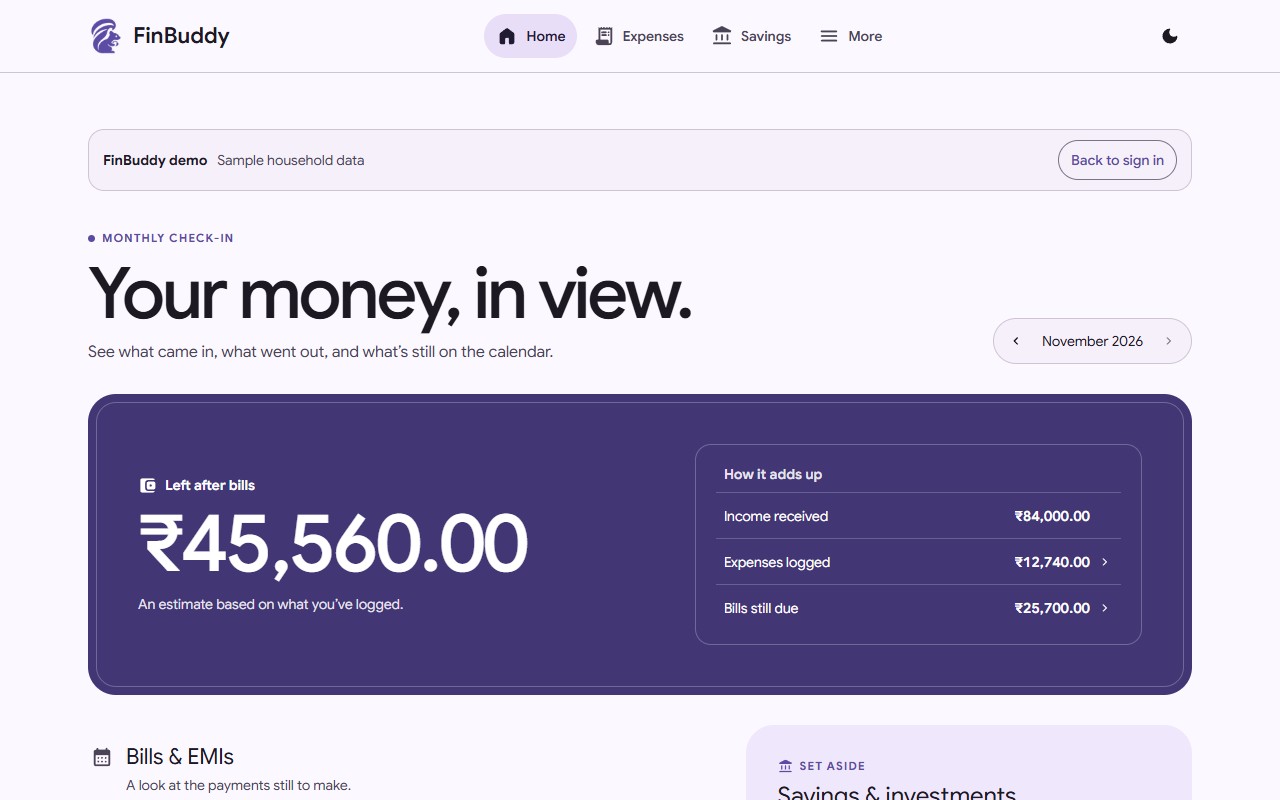
Your monthly check-in
Suppose ₹80,000 in salary comes in. You spend ₹1,250 on groceries and have a ₹900 internet bill due. Home shows ₹77,850 left after bills. Pay the internet bill and it moves from due to spent. Your remaining amount stays ₹77,850.
Record your first salaryEnter ₹1,250, choose a category and save. Add a shop, person or receipt when it helps. Later, search the ledger, change the date range or correct an entry.
Try an expenseGive rent, internet or an EMI a due date and repeat schedule. Record a new payment or link one you already logged. Open Paid to check where it went.
Settle a bill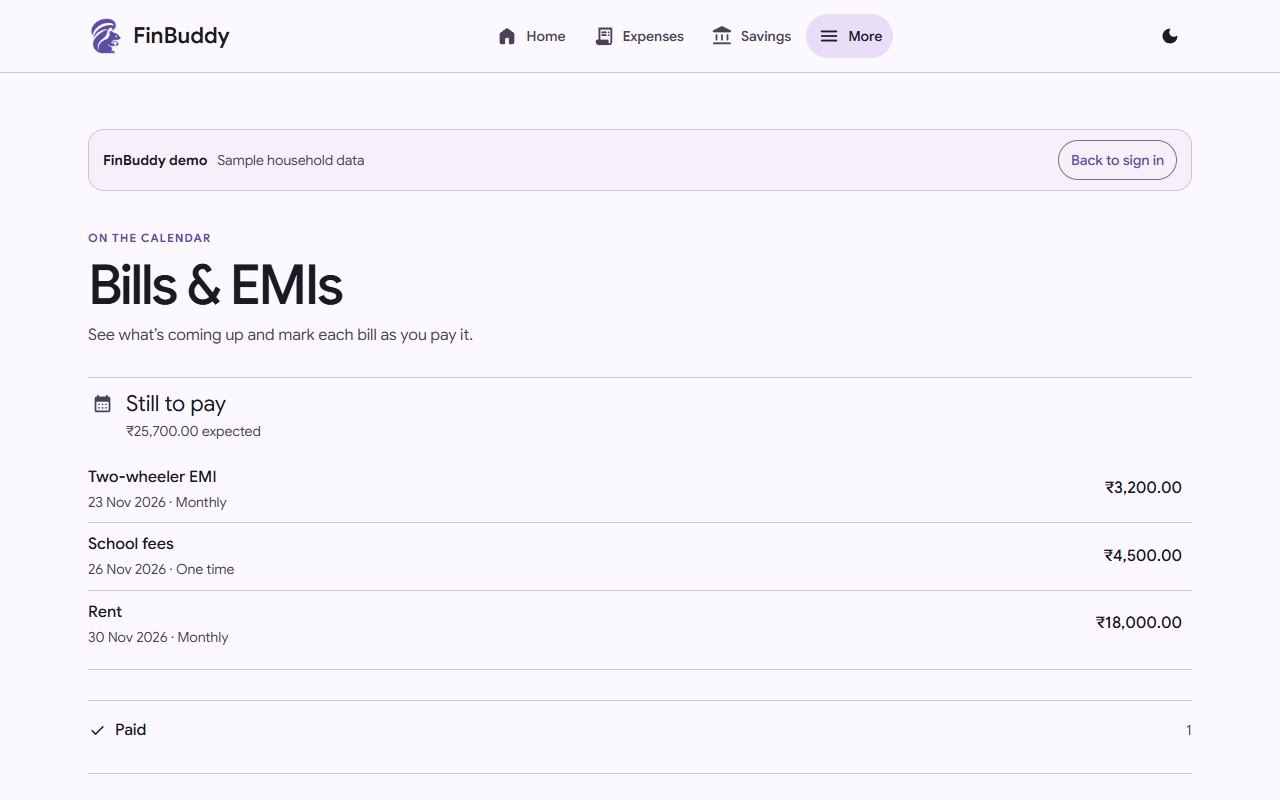
Give your emergency fund, SIP or fixed deposit a name, value and date. Update the same holding when you next check the balance. Home keeps it separate from everyday spending.
Update a balance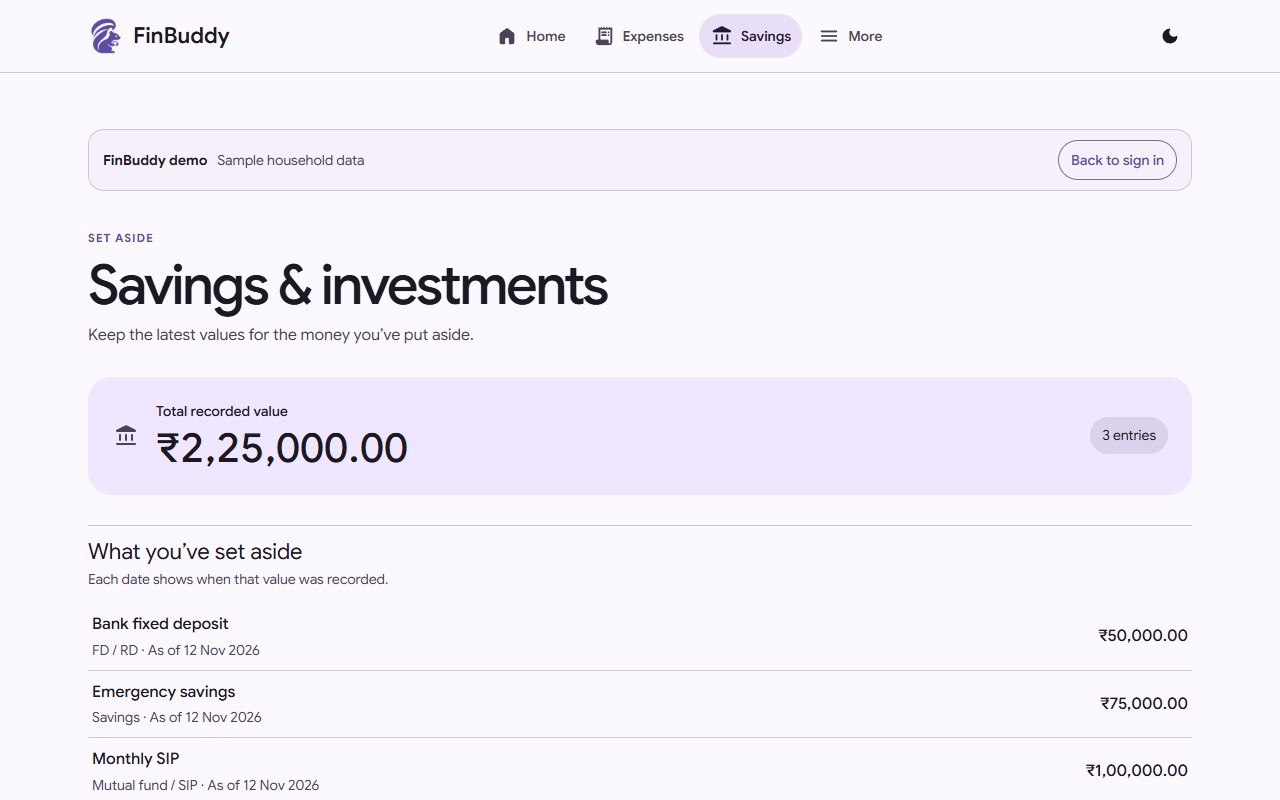
Before the next payday
Start with the biggest expense or the category that moved. Check the entries behind the number before changing next month’s plan.
Overview shows your daily average, largest expense, top category and change from last month. Set a category limit in Budgets and check actual spending against it.
Review spending against a planChoose a ready-made template or create one for a regular purchase. It fills in the usual details so you can check the amount and date before saving.
Use a recurring templateCreate categories for your own routine and label who an expense was for. A person label helps you find a purchase later. Your account controls access to your records.
Set up categories and peopleFinVision · Savings goals
For a ₹1,20,000 school-fees goal, twelve ₹5,000 deposits at an estimated 7% a year project to ₹62,310.66. That includes ₹60,000 of deposits and ₹2,310.66 of estimated interest. With no other savings linked, the gap is ₹57,689.34.
Choose a deadline, link the savings already set aside, and see the balance along the way. Change the term or rate to compare the outcome. If you have an existing FinVision plan, review it before bringing it in.
The rate is your assumption. Actual returns can differ.
Explore a sample goal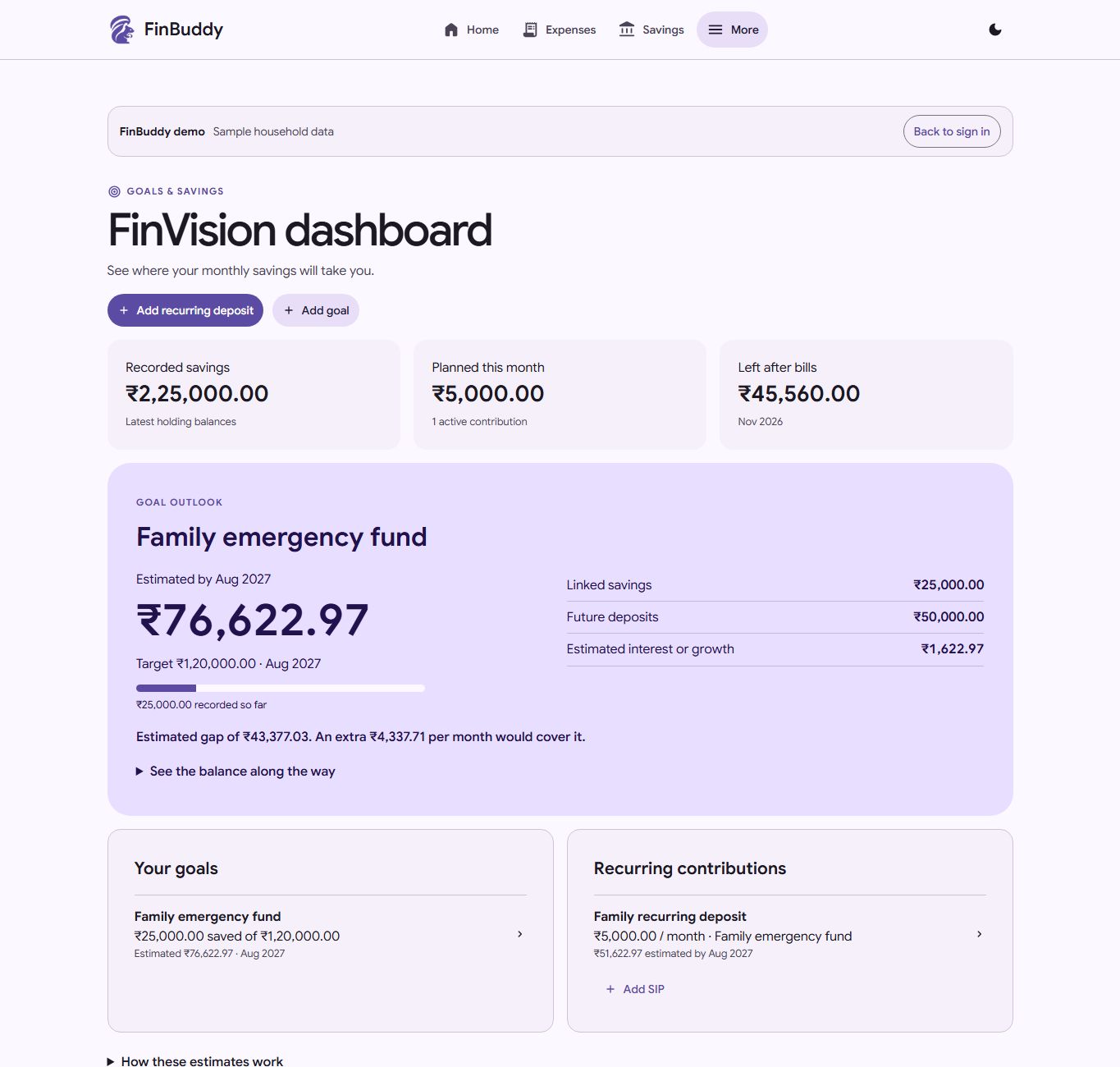
Product tour
Watch a salary land, groceries get logged and a bill move into the ledger. Then set a school-fees goal and see what twelve deposits could cover.
Explore the sample householdOpen FinBuddy and choose Try the demo. The sample household shows income received, money spent and the bills still due this month.
You can explore without an account. We’ll switch to a fictional signed-in household to record a month of its own.
Asha has received eighty thousand rupees. On Home, she chooses Add income, enters the amount and calls it Salary.
After she saves, Left after bills shows eighty thousand rupees. This is income she has received, so she can plan with it now.
In Expenses, Asha adds twelve hundred and fifty rupees, chooses Food and Dining, and writes Weekly groceries. More details lets her add a person, platform or receipt.
She saves, then reopens Expenses. The groceries are still there, and the monthly expense total includes the purchase.
Asha adds her nine hundred rupee internet bill, sets it to repeat monthly and saves it. In Manage bills, she selects Record payment.
Saving the payment adds it to Expenses. Groceries and internet now total two thousand one hundred and fifty rupees. If she had already logged the expense, she could link it instead.
Overview shows the daily average, largest expense, top category and comparison with last month. Here, groceries are the largest expense.
If a category looks high, open the underlying expenses before deciding whether to change its monthly budget.
Under Savings, Asha records the latest value of her emergency fund, fifty thousand rupees. She can enter the date she checked the balance.
Next time she checks, she updates the same holding. It stays separate from the income and expenses she recorded this month.
Now try FinVision with the public sample. Add a school-fees goal of one lakh twenty thousand rupees and choose May twenty twenty-eight as its target month.
Select the new goal to see its outlook. This example starts at zero. In your own plan, you can link savings you have already set aside.
Add a recurring deposit for five thousand rupees per month. Choose January twenty twenty-seven as the first month, twelve instalments and an annual interest estimate of seven percent.
The preview separates sixty thousand rupees in deposits from the interest estimate. Save the schedule to include it in the goal.
The projected balance is sixty-two thousand three hundred and ten rupees and sixty-six paise. The remaining gap is fifty-seven thousand six hundred and eighty-nine rupees and thirty-four paise.
Open See the balance along the way for the dates and estimates. You can change the deposit or the deadline and see whether the goal becomes achievable.
Settings holds the appearance choices and, for signed-in accounts, Developer Options. The technical guide explains how a scoped token works with the API.
To try the same journey, open the sample household or the FinVision demo. Sign in when you want to keep your own records.
Make it yours
Open the same workspace in your mobile browser or add it to your home screen. Use the expense shortcut when you need to log a purchase in a hurry.
Add FinBuddy to your home screenSettings → Preferences holds your font, color palette and light or dark display. A monochrome palette is available. Usage analytics is optional.
Find your preferencesUse Settings → Developer Options in a signed-in account to create a scoped token. Choose read-only access for an export, set an expiry and revoke it when you have finished. The technical guide includes a first request and the interactive API reference.
Make your first API requestWalk through a sample month, then add income, log an expense and settle a bill in your own account.
Run the demo locally, test with Firebase emulators and make a read-only API request.
FinVision planning is available today. KautilyaAI and Metrics Explorer are coming soon. Follow the roadmap and what changed in each release.
Explore with sample data or sign in to start your own household ledger.